
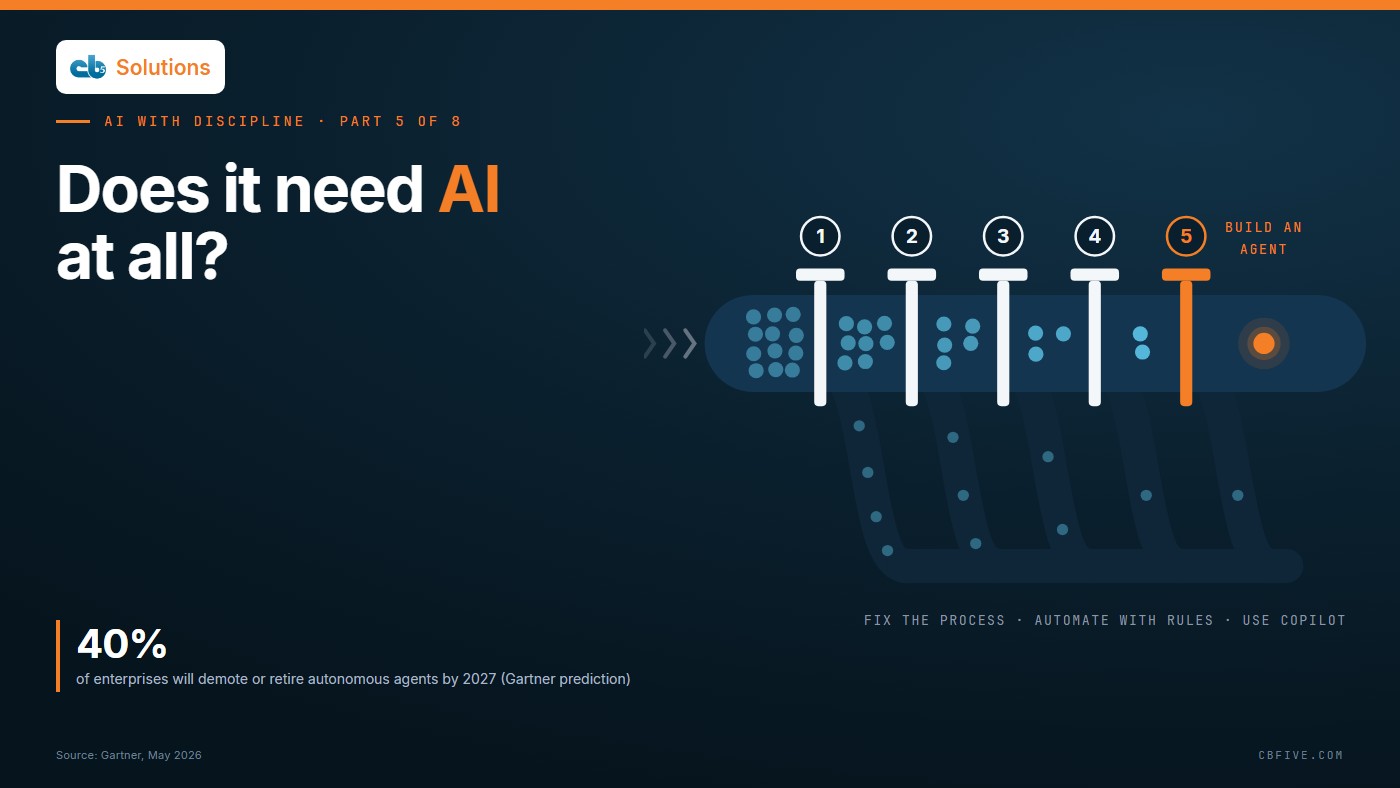
We bring this topic up because we keep running into the same thing with the AI teams we work with. Every one of them has a queue of requests coming in from all over the business: an agent to chase missing loan documents, a bot to answer HR policy questions, something “intelligent” to route invoices. Each one shows up with a sponsor, some urgency and the assumption that AI is the answer.
When we sit down and go through that queue, a good share of those requests turn out not to be AI problems at all. The invoice routing needs three rules and a flow. The missing documents trace back to an intake form that never asked for them. The policy questions keep coming because the policy lives in four places and contradicts itself in two. If you fund an AI project against any of these, you’re paying to automate a problem that a smaller fix would have made go away.
This is part five of our series on applying AI with discipline, and in this post we want to cover the decision that comes before everything else: whether the work in front of you needs AI at all.
Why “Just Use AI” Is the Expensive Default
When AI becomes the default answer, the cost doesn’t show up right away. It shows up later, in projects that stall on problems nobody checked for at the start.

Sources: Gartner, April 2026; Informatica CDO Insights, January 2026; BCG AI at Work, June 2026.
Gartner’s April 2026 survey of IT infrastructure and operations leaders found that, among those reporting AI setbacks, 38% blamed persistent skills gaps and 38% blamed poor data quality or limited data availability. Informatica’s CDO Insights survey, published in January 2026, found 57% of data leaders say poor data reliability is blocking AI from reaching production. And BCG’s June 2026 AI at Work study found that a clear strategy lifts measurable business impact by about 25 points, against roughly 5 points from better tools alone.
None of those are model problems. We think that’s the encouraging part, because you can spot every one of them before you spend a dollar if someone takes the time to ask the right questions first.
The Five-Question Filter
We’ve found it works best to run every request through these five questions before it gets anywhere near a budget line. You can usually get through them in one working session with the person who owns the work. That person belongs in the room because the business, not IT, knows where the time and money actually go. IT’s seat at the table is the guardrails: who can see the data, what gets logged and what has to stand up to an audit.
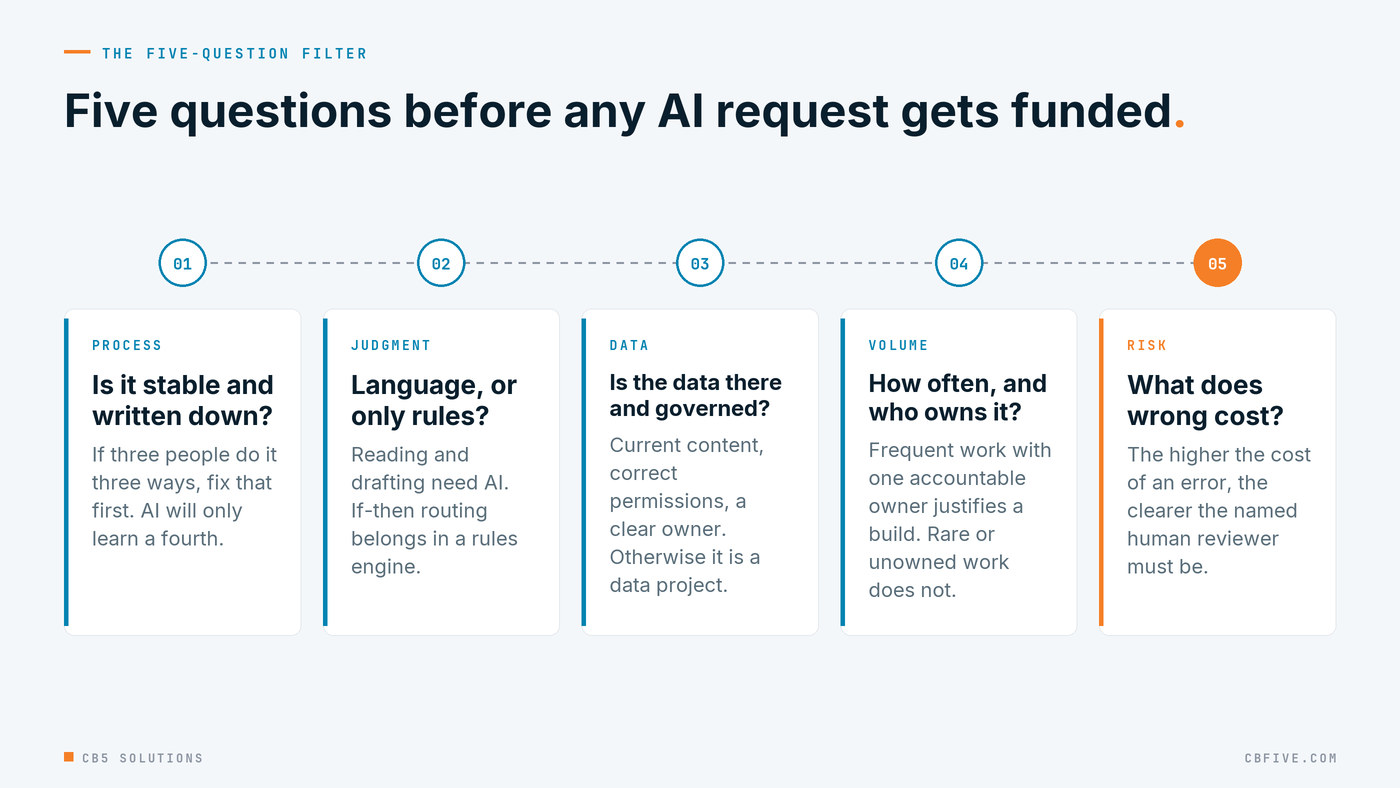
1. Is the process stable and written down? If three people do the job three different ways, the AI is going to learn a fourth. Ask for the steps on one page. If nobody can produce that page, or the steps change every month, then the first deliverable is the process and the model can wait.
2. Does it need language or judgment, or only rules? Reading a messy email, summarizing a case file, drafting a response, that’s language, and that’s where AI earns its keep. “If the amount is over the limit, route it to a manager” is a rule. Rules belong in Power Automate, a workflow engine or the system of record, where they run the same way every time and are a lot cheaper to test and audit.
3. Is the data it needs available and governed? The AI has to be able to reach the content, the content has to be current, and the permissions on it have to be right. If any of those isn’t true, what you really have is a data project with an AI label on it. We covered what fixing that takes in part four.
4. How often does it happen, and who owns it? A task done twice a quarter rarely justifies a build. A task done hundreds of times a week, with one leader accountable for it, often does. If there’s no owner, there’s nobody to define success, approve changes or decide when to stop, and we’d treat that as a no regardless of the volume.
5. What does a wrong answer cost, and who reviews it? A draft of meeting notes that someone reads before sending doesn’t carry much risk. A customer-facing answer about fees, or a recommendation on a credit file, carries a lot. The more an error costs, the more you need a named reviewer and a logged checkpoint before the output leaves the building.
Four Routes, Not One
Once you have the answers, each request points to one of four routes, and only the last one means building something new. Think of the routes as layers. Most organizations pay for layers they don’t use and reach for ones they don’t need, and the money is in matching each request to the right layer.
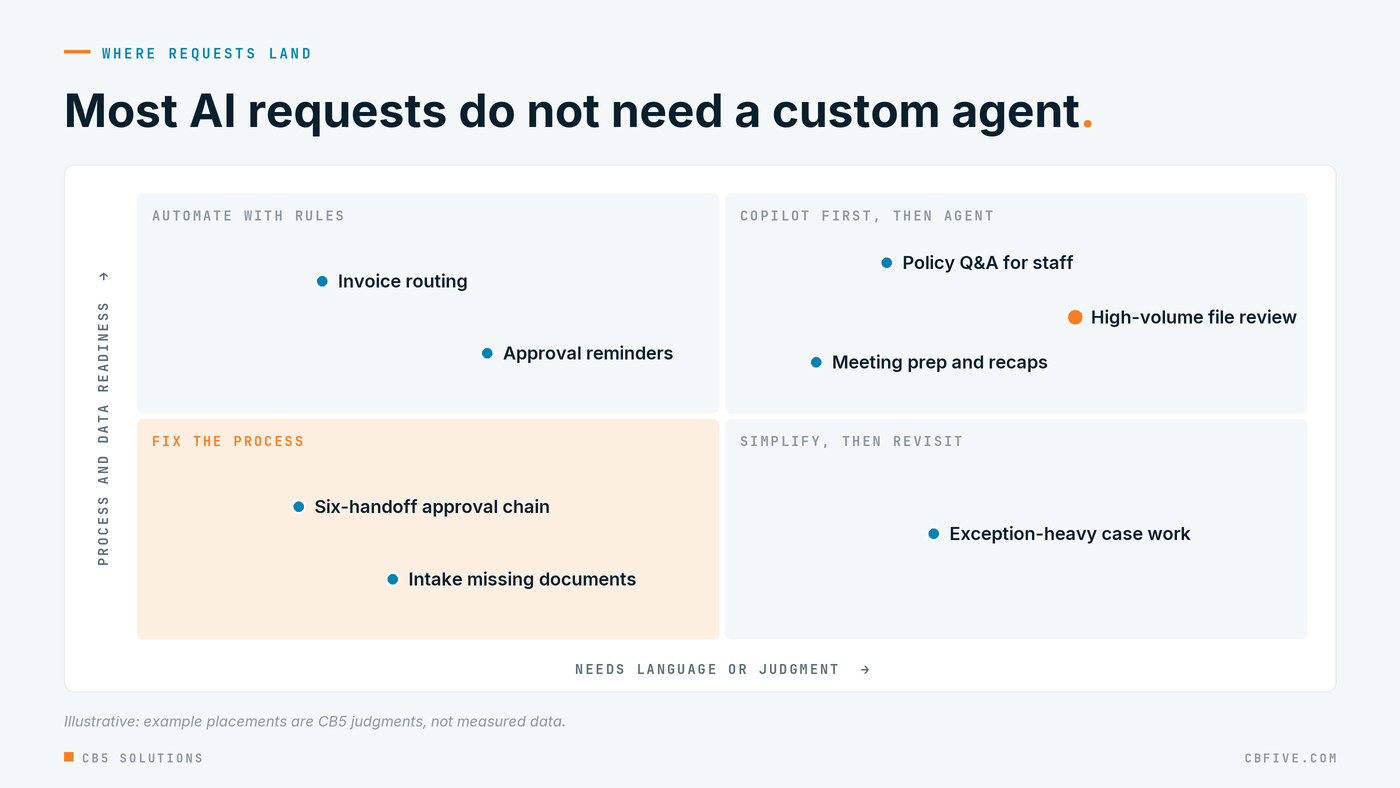
Illustrative: example placements are CB5 judgments, not measured data.
Fix the process (or the data). A “no” on question one or three lands here, even when the work really does need judgment. Simplify first and then come back to it. Cut the extra steps, drop the old handoffs, pull the content into one place and fix the permissions. It’s the cheapest route, and a lot of the time it solves the original problem outright. When it doesn’t, you’ve at least got a process that’s clean enough to automate.
Automate with rules. If the process is stable and the work is rules-based, build the flow. Power Automate, approval workflows, form validation and configuration in the system of record handle a surprising share of what comes in labelled as an AI request. They do the same thing every time, and they’re easy to explain to an auditor.
Use off-the-shelf Copilot. This is where the work needs language or judgment, the data’s governed, and a person reviews each output as part of their normal job: drafting, summarizing, searching policy, getting ready for meetings. Microsoft 365 Copilot, or a simple Copilot Studio agent pointed at an approved document library, covers this with configuration rather than code.
Build an agent. We’d save this for work that passes all five questions: a stable process, real judgment, governed data, high volume with a clear owner, and a defined human checkpoint on the outputs that matter. Even then, start with the lightest build that works.
Use Copilot Before You Build Custom
The rule we hold every roadmap to is pretty simple: use what Copilot already does before you build anything custom. In the demos we run for leadership teams, we stand up a governed answer agent in Copilot Studio in about ninety seconds, with no code. It’s grounded in one approved document library, it cites its sources, it picks up the permissions staff already have, and it turns down questions outside its scope. In our experience, watching it refuse an out-of-bounds question does more for an executive’s confidence than any slide we could put up.
If the configured option is that cheap to try, it’s also cheap to stop. With that said, we’re not against custom builds. We just think a custom build should have to explain what it does that the configured version can’t, and the answer should be specific: a system integration, a multi-step workflow, an action it has to take on its own. “It’ll be smarter” doesn’t count.
The Over-Engineered Agent Trap
The most expensive failure we run into usually isn’t a weak model. It’s a sophisticated agent built on top of a process nobody bothered to simplify.
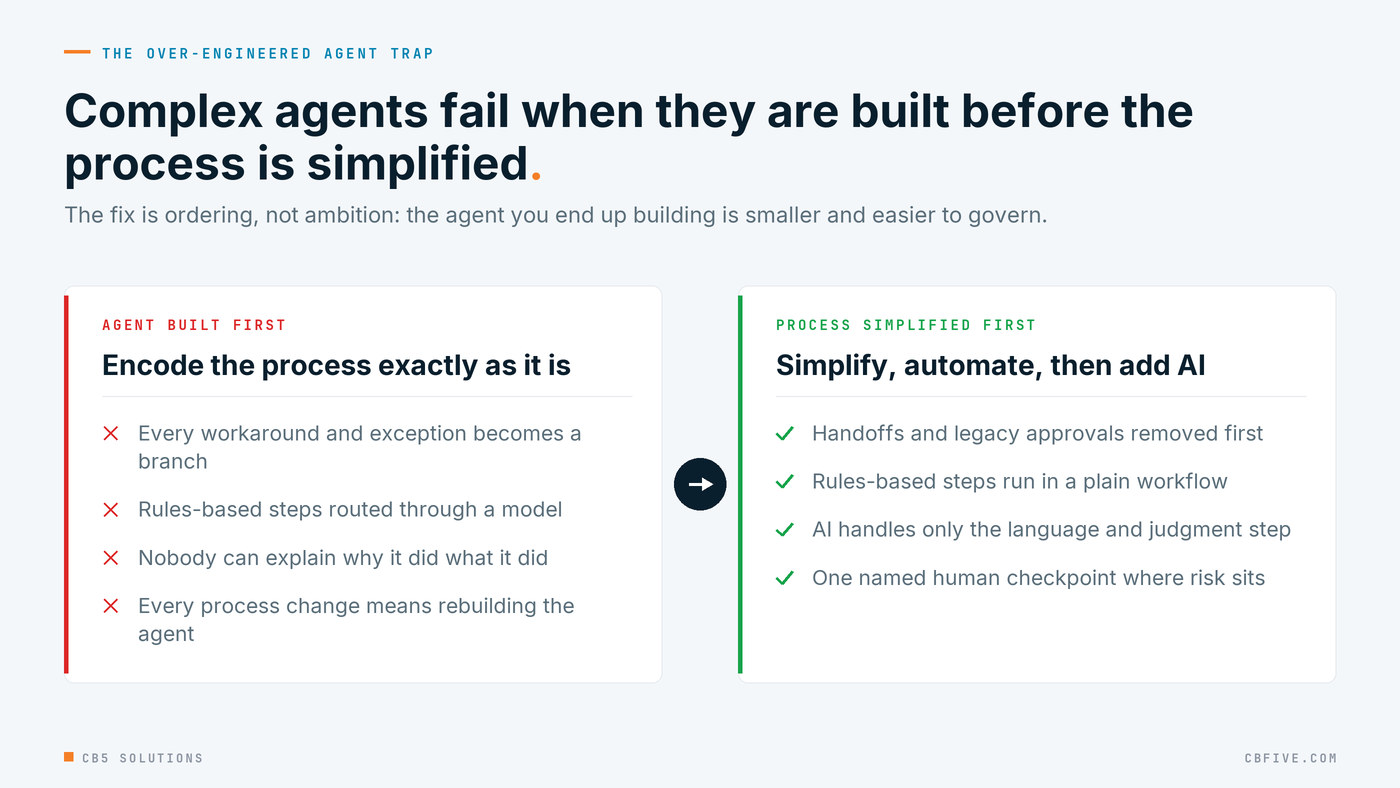
It tends to go like this. The team maps a workflow with a dozen steps, seven exceptions and four handoffs, and the agent faithfully copies all of it, including every workaround, every special case and every approval that exists because of a problem someone solved years ago. It works in the demo. Then in production it breaks on an exception nobody mapped, nobody can explain why it did what it did, and every change to the process underneath means rebuilding the agent.
Gartner (May 2026) predicts that by 2027, 40% of enterprises will demote or decommission autonomous agents because of governance gaps found only after production incidents. We’ve found that complexity is where those gaps hide. Three clear steps and one human checkpoint are easy to govern, and forty branches are a lot harder.
Complex agents fail when they’re built before the process is simplified. So the fix is mostly about getting the order right. Simplify the process first, automate the rules-based parts with rules, and then point AI at the narrow piece that really needs language or judgment, with a person deciding at the step that carries the risk. The agent you end up building is smaller and cheaper, and it’s far more likely to make it through its first year.
Getting Started
- Pull your current AI request list and run each item through the five questions with its business owner in the room.
- Tag every request with a route: fix the process, automate with rules, Copilot, or agent. Expect the first two piles to be bigger than anyone guessed.
- Fund the fixes first. Process and data work is quick, cheap and often settles the request on its own.
- Require a Copilot-first test for anything heading toward a custom build, and write down what the configured version couldn’t do.
- Name a reviewer and an error cost for every agent, and have IT confirm its permissions and logging, before it’s approved, not after its first incident.
Talk to Us
CB5 Solutions helps organizations understand the layers of AI, get the most from what they buy, and build an AI program that pays back inside their IT standards. We start every engagement with one business problem and a governance baseline. Let’s pick yours.
Next, this afternoon: Start Where the Work Is Boring: Picking Your First Three AI Use Cases.