
The accounts payable team was drowning in supplier emails asking where an invoice had got to, so now an agent answers them from the payment system. HR has one for benefits questions during open enrolment. Sales has one connected to the CRM that drafts account summaries before calls. Each team solved a problem it already had, which is exactly how AI should spread: the business knows where the time goes, so the business drives.
Then IT asks three questions. Who owns each of these agents? What can each one reach? What happens to it when the person who built it leaves? Usually, the room goes quiet.
That silence is the governance gap. An agent isn’t a document or a chat window. It holds access and acts on its own, which makes it an identity, and identities are something IT already knows how to govern. The organizations getting agents right aren’t writing a new rulebook. They’re applying the identity discipline they already have to a new kind of worker that never sleeps, never takes leave, and can’t be walked out of the building.
Agents sprawl the way service accounts did
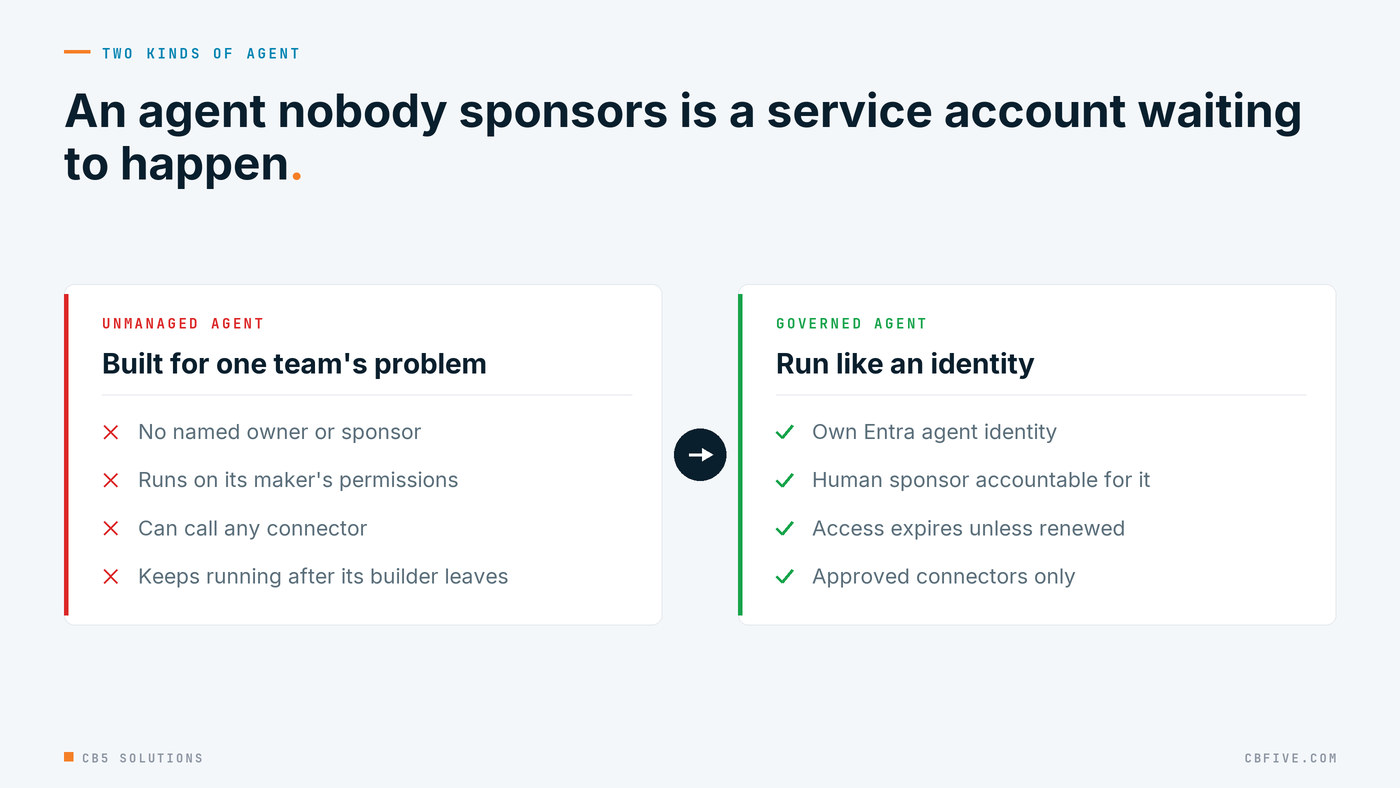
Most enterprises have lived through this once already. Service accounts piled up for a decade: created for a project, given broad rights “temporarily”, and left behind when their creator moved on. Nobody could say which ones were still needed, so nobody dared to delete them.
Agents are following the same path, because anyone with a maker licence can publish one. When a leadership team saw what Copilot agents could do for their own work, their first two questions were who owns an agent once it exists and how to avoid ending up with hundreds of them. We wrote up what that room asked; this post is the identity answer to those questions.
It starts with a list. When we baseline an environment, the first finding is almost always the same: there’s no single list of the agents in the tenant, which identity each one runs as, or which connectors it can call. That list has to include agents built outside Copilot Studio too: Microsoft Foundry projects, custom app registrations, and third-party agents with access to your tenant. Counting them properly is its own job, and the subject of our next post.
Give every agent a name, a sponsor and an expiry date
Microsoft Entra Agent ID treats agents as their own identity type instead of borrowing a user account or a generic app registration. Three ideas from it are worth adopting whatever platform your agents run on.
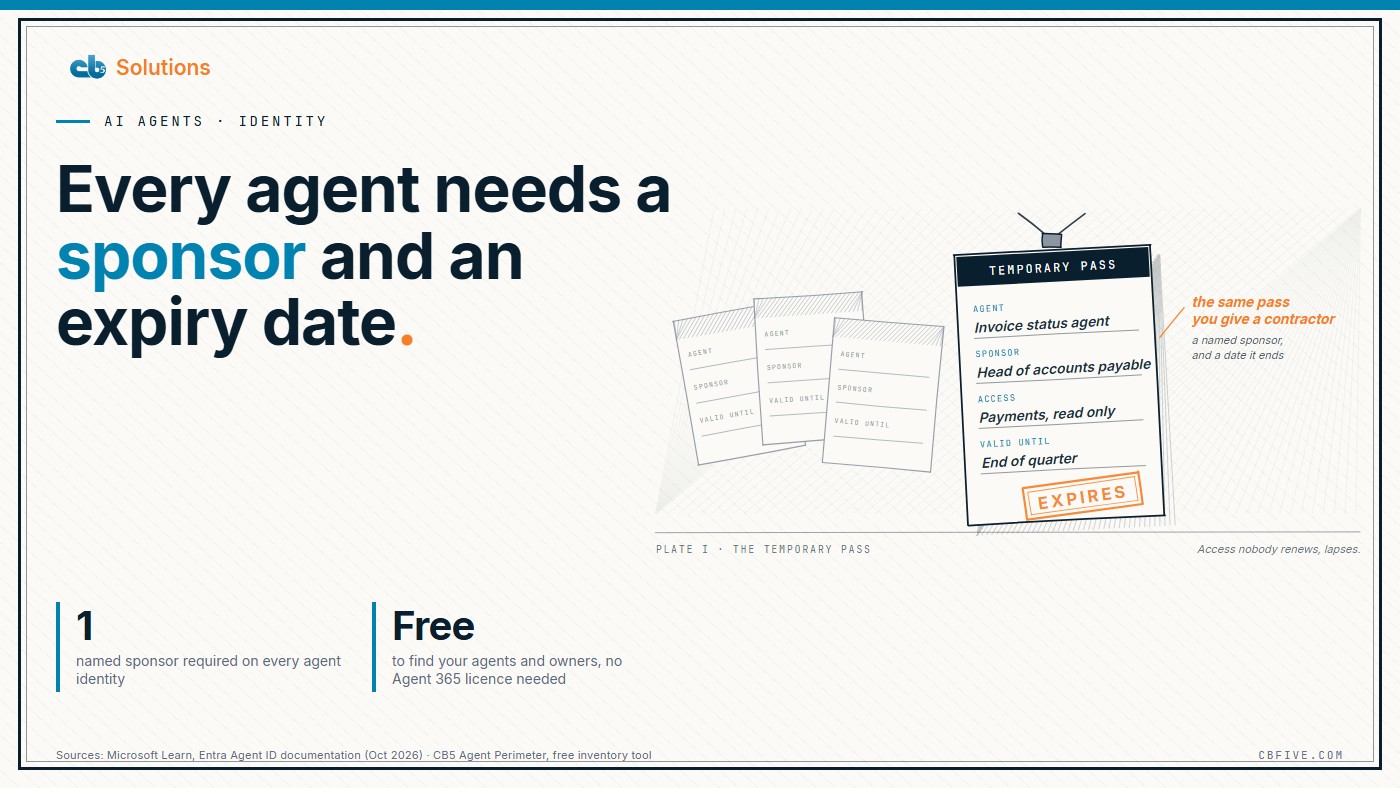
A human sponsor for every agent. Entra separates the owner, who handles technical administration such as settings and credentials, from the sponsor, who is accountable for the agent’s purpose: whether it should still exist, whether its access should be extended, and whether to suspend it during an incident. Every agent identity must have a sponsor. When a sponsor leaves, sponsorship moves to their manager, and Lifecycle Workflows can notify the manager and any co-sponsors, so an agent is never left without a person accountable for it.
Access that expires. Rather than granting an agent permanent rights, assign security group memberships, API permissions and Entra roles through entitlement management access packages, the same mechanism you probably already use for contractors. Access is approved, time-bound and auditable. When it nears expiry, the sponsor is notified and has to decide: request an extension, which goes back through approval, or let it lapse. Doing nothing means the access ends.
Policy set once for a class of agents. Every agent identity is created from an agent identity blueprint, which records what kind of agent it is. Administrators can apply a Conditional Access policy to every agent of that kind, disable them all, or revoke a permission grant for the whole class in one action. That’s the difference between containing an incident with one decision and chasing it agent by agent.
This is also where the layers show up. Agent ID itself is available to every Microsoft Entra customer. Extending Entra’s security and governance features to agents, including Conditional Access, access packages, lifecycle workflows and ID Protection, requires Microsoft Agent 365, which is included in Microsoft 365 E7 and sold as an add-on to E5 and Business Premium (Microsoft Learn, Microsoft Entra licensing, October 2026). Know which layer you’re paying for before you design around it.
Two practical limits matter too. Copilot Studio has created new agents with agent identities since March 18, 2026, unless the tenant opted out, but older agents run on platform-managed service principals that Entra treats as ordinary applications. There’s no in-place conversion: an older agent has to be recreated with Agent ID enabled, and Microsoft advises leaving production-critical agents as they are until it ships an automated migration path. Some features, such as Agent ID lifecycle policies, are still in preview. None of that is a reason to wait. The ownership model works today as a written policy, before the tooling enforces it.
Limit reach, then control the exits
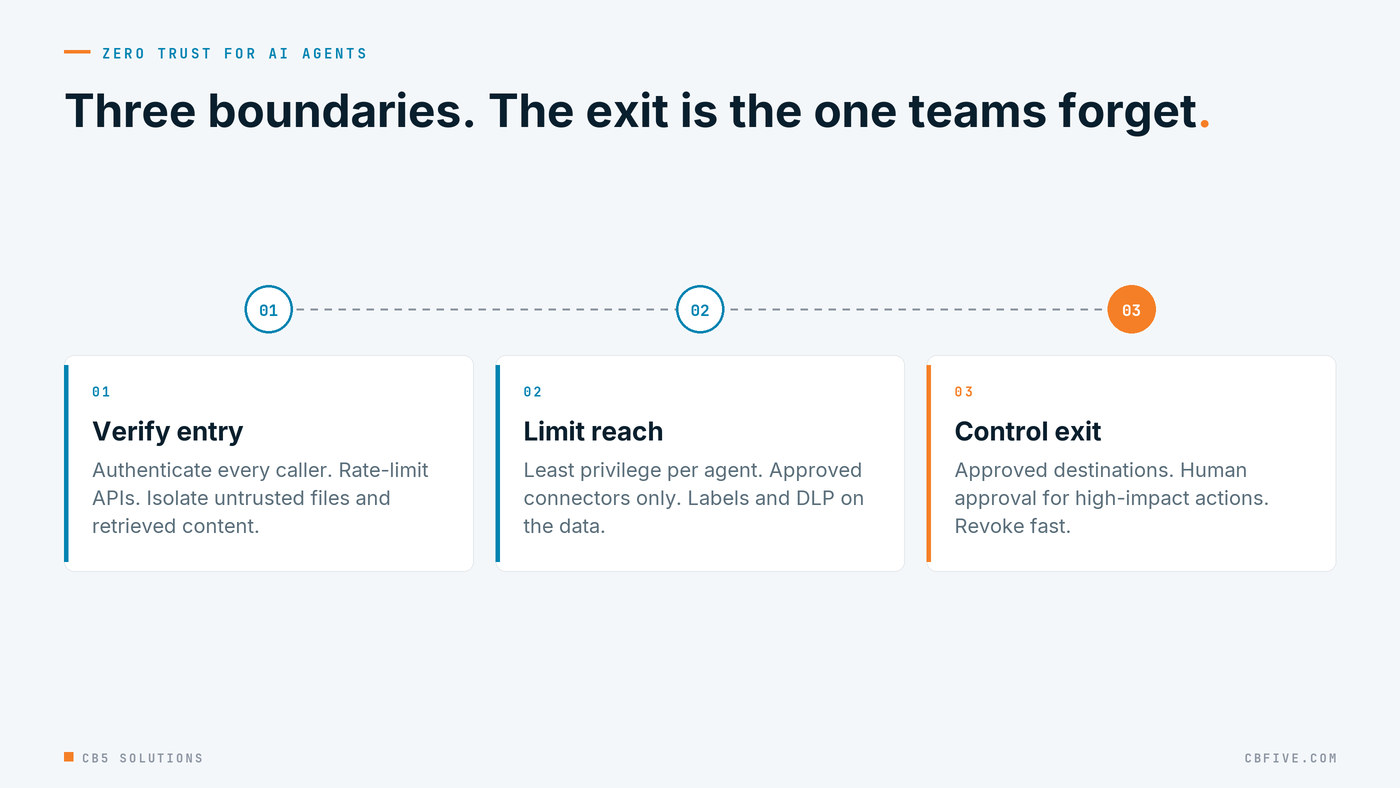
Our Zero Trust approach to AI comes down to three boundaries: verify what comes in, limit what an accepted request can reach, and control what goes out.
For your own agents, the middle boundary does most of the work. Run each agent with the fewest permissions it needs, and avoid agents that act with their maker’s full delegated rights unless that’s the explicit design. An agent that acts as its user inherits every oversharing problem that user already has, which is why we argue for fixing data access before you deploy Copilot. Use Power Platform data policies to decide which connectors agents in each environment may call, so a helpful HR agent can’t also post to an external webhook. Keep sensitivity labels and Purview DLP in front of the data, because an agent that can read a file can also summarize it to anyone who asks.
The exit boundary matters more than most teams expect. An agent that can send email, write to a system of record or call an outside API can do real damage if it’s manipulated by a poisoned document or a prompt injection hidden in a web page it retrieved. Keep outbound connections to an approved list. For high-impact actions such as payments, external sends, record deletions and permission changes, require a person to approve the action in the agent’s flow. It adds one step for a human, and it turns a possible incident into a held request. We’ve written separately about the pattern where AI prepares and a human decides, and why it’s the one that survives an audit.
Remember that other people’s agents are calling you
You don’t have to deploy an agent to be affected by one. Partners, suppliers and anonymous callers increasingly reach your public apps, APIs and inboxes through automated AI services, and some of those services will be compromised or badly built. Apply your controls to every caller, not only the ones labelled “AI”: authenticate APIs, rate-limit them, isolate uploaded files and retrieved content before an agent reads them, and review the cross-tenant and guest access your partners actually use. Enforce policy on behaviour and access, because an attacker won’t announce that they’re an AI.
Getting Started
The sequence we follow in our own engagements:
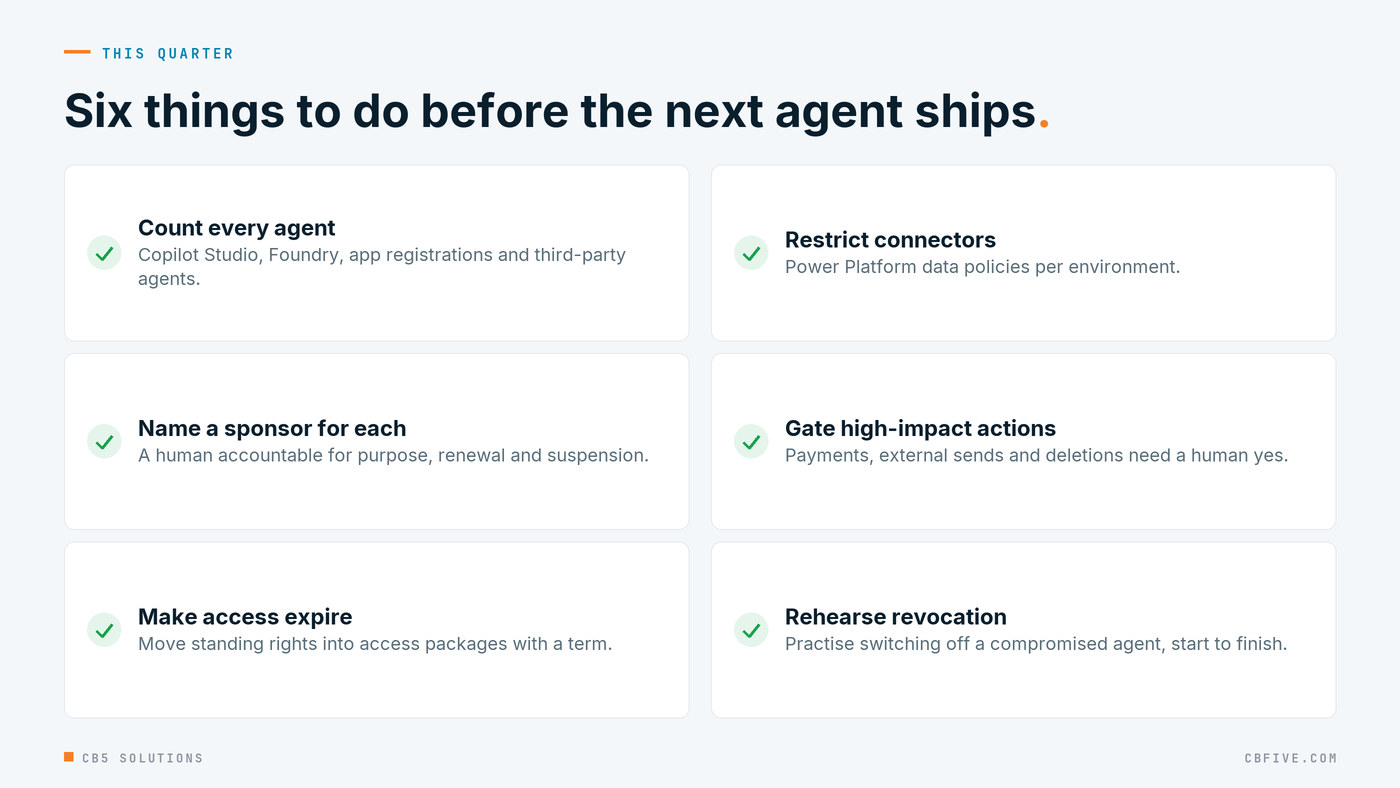
- Baseline. Inventory every agent and the identity it runs as. You don’t need Agent 365 for this step: finding your agents, who owns them and what they can reach works from what every tenant already has, and on Friday we’ll share a free tool that does it. Map public exposure, partner access, and every inbound and outbound AI path.
- Roadmap. Use the Microsoft Zero Trust Workshop to rank the perimeter, identity, data and response controls by risk, and decide which licence layer each control needs.
- Implement in phases. Bring agents onto Entra agent identities with sponsors and access packages, tighten connector policies, put Purview protection in front of the data, and build detections for unusual agent behaviour.
- Reassess every quarter. Recertify agent access, retire agents nobody sponsors, and rehearse revoking a compromised agent.
The goal isn’t fewer agents. The organizations that will get the most from Copilot and custom agents are the ones that can say yes to the next team’s agent with confidence, because they already know who sponsors it, what it can reach, and how to switch it off.
CB5 Solutions helps organizations understand the layers of AI, get the most from what they buy, and build an AI program that pays back inside their IT standards. We start every engagement with one business problem and a governance baseline. Let’s pick yours.