
The crawl stage starts with the people who have the problems, not with a project. A branch manager with a chat full of overnight trouble, a service manager with an angry customer, an inside sales rep with a workbook nobody has time to read. Each of them can point Copilot at their own problem in the apps they already live in.
That only pays back if you know the layers. Copilot comes in tiers, and each one does different work. The entry tier summarizes and drafts inside the apps. The paid Microsoft 365 Copilot licence adds work that pulls across mail, calendar, files and business data. Organizations that buy without knowing which tier does which job end up paying for the wrong one. So before we built anything custom, we spent twenty-eight minutes showing what each layer does on real work, and where IT’s guardrails sit while the business uses it.
We built the whole crawl stage around the seal problem from post 1: a distributor’s customer whose pump keeps eating seals. Every app works the same problem. Here’s what we built in each one, the time it gives back, and the one honest line about licensing we think every Copilot conversation owes its audience.
Teams: the chat you didn’t read
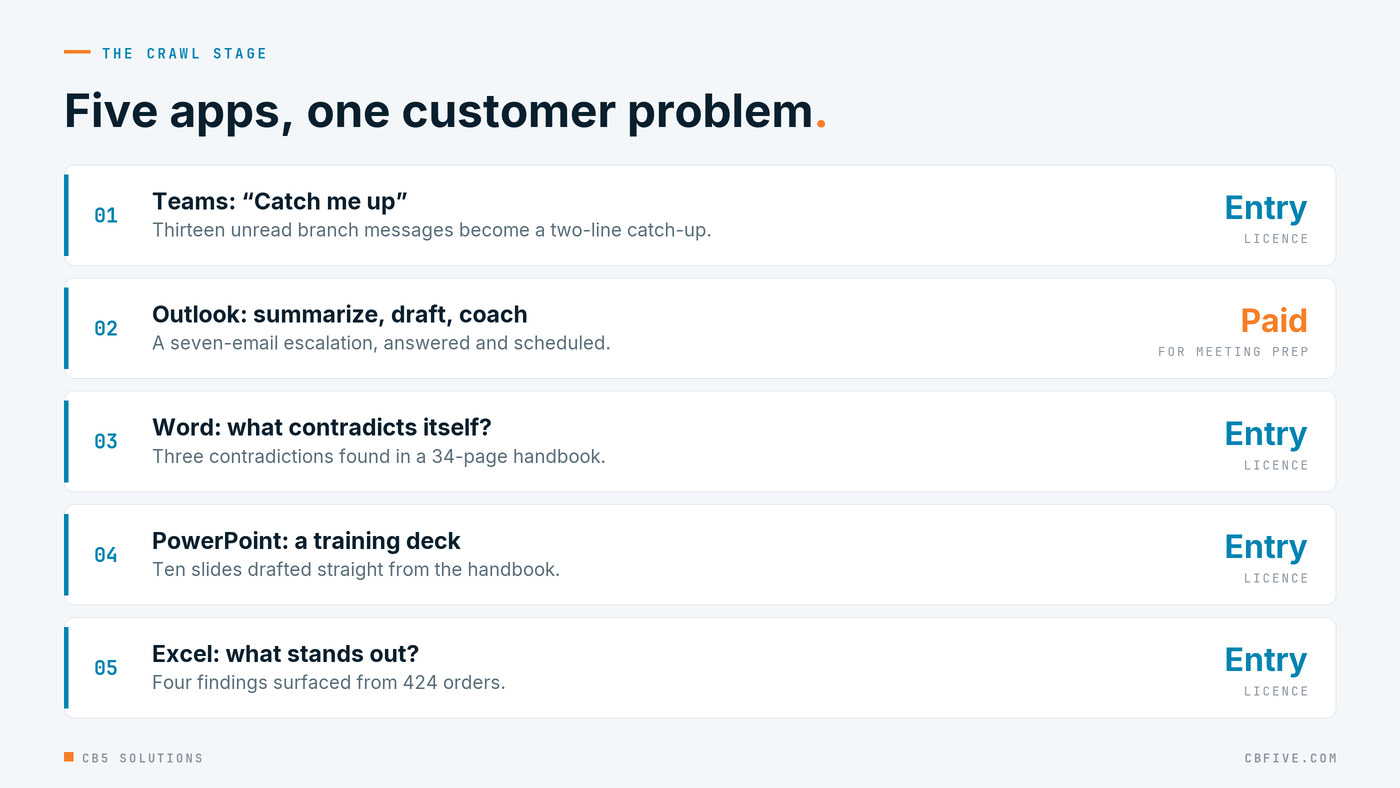
We opened in a Teams group chat called “Branch ops – Monday” with thirteen unread messages. It’s the kind of traffic a branch produces before 8 AM: a backorder, a tech calling out, a customer escalation. The ask to Copilot was simply “catch me up.”
This sounds trivial. It’s the single most used feature we see in the field, and it lands with managers immediately because they all have that chat. A thirteen-message backlog becomes a two-line catch-up, and the manager is working the backorder before they’ve finished their coffee. IT’s part is making sure Copilot only reads the chats that person is already in. The one practical note: the chat has to be genuinely unread to show this well, so leave it alone once it’s set up.
Later in the same stage we showed a meeting recap. We’d scripted a mock huddle, then dropped it the day before in favour of a real internal meeting we’d recorded that week. Real recaps have texture that scripted ones don’t. We checked it for anything we wouldn’t want someone outside the company to see first, and so should you.
Outlook: the angry thread
The centre of the crawl stage is a seven-email thread from a chemical-plant customer’s maintenance manager. Subject line: “P-101 failed again: third seal since July.” It escalates the way these threads do, from polite to pointed to “I need a plan by Monday or I’m getting other quotes.”
We ran five beats against it. Summarize the thread. Draft a reply that proposes a root-cause visit on a specific date. Run Copilot’s coaching on a deliberately defensive draft, which is where the room laughed, because everyone has sent that email. Schedule the meeting from the thread. Then the one that separates the licence tiers: “prepare me for my meeting with this customer.”
That’s the work a service manager does every week, by hand: reread seven emails, write a careful reply, find a time, pull the history together before the call. Copilot does the first draft of all of it in minutes, and the manager spends their time on the judgement calls.
That last prompt is where we’re straight about tiers. Summaries and drafts work on the entry licence. Cross-source preparation, where Copilot pulls the thread, the calendar, the files and the CRM into one brief, is the paid Microsoft 365 Copilot licence. We’d rather say that up front than have someone discover it after they’ve bought the wrong thing. Knowing which layer does which job is how you buy the right one, and it buys credibility for everything that comes after.
Word: a handbook with three mistakes in it
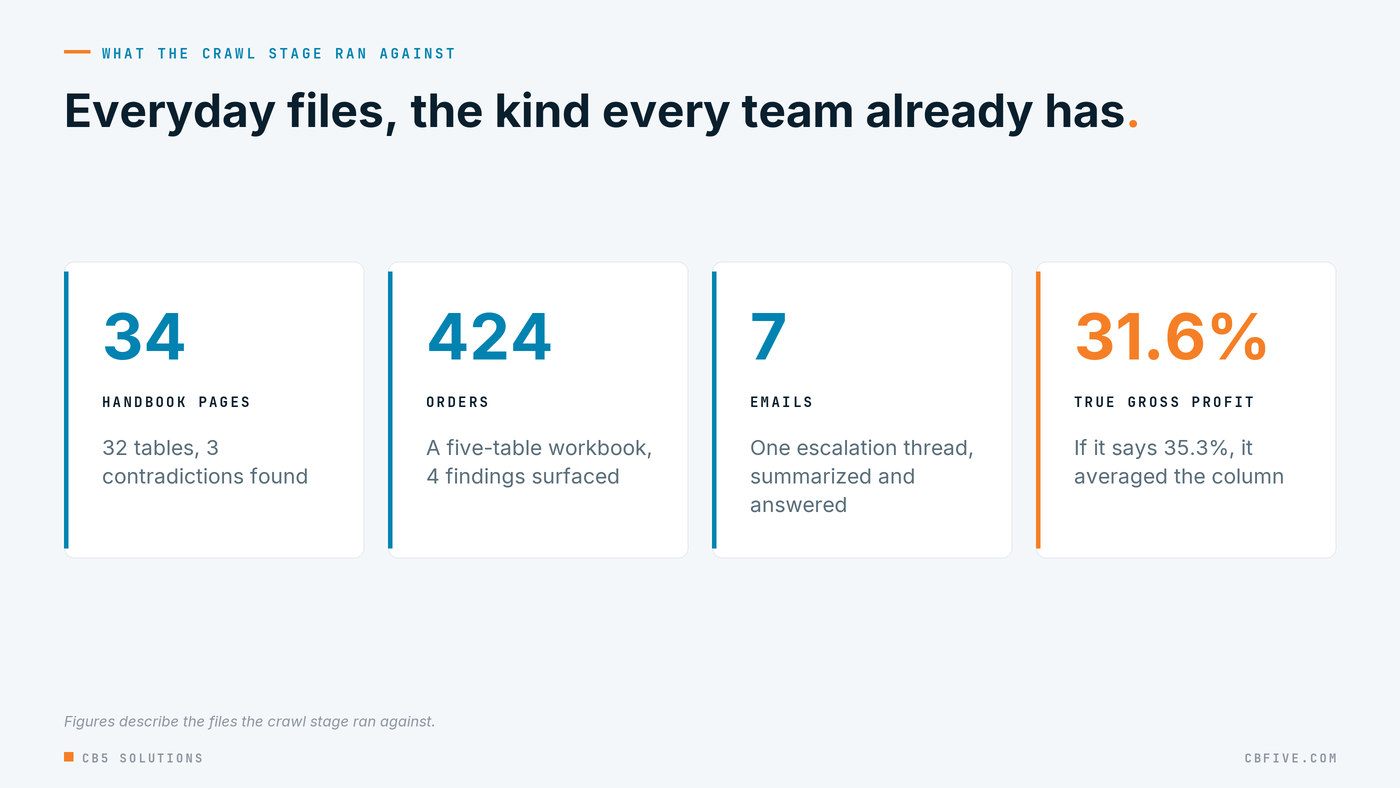
For Word we built a 34-page Pump Reliability Field Handbook. Thirty-two tables, about 9,400 words, revision 4, the kind of document every service organization has and nobody has read end to end since the person who wrote it left.
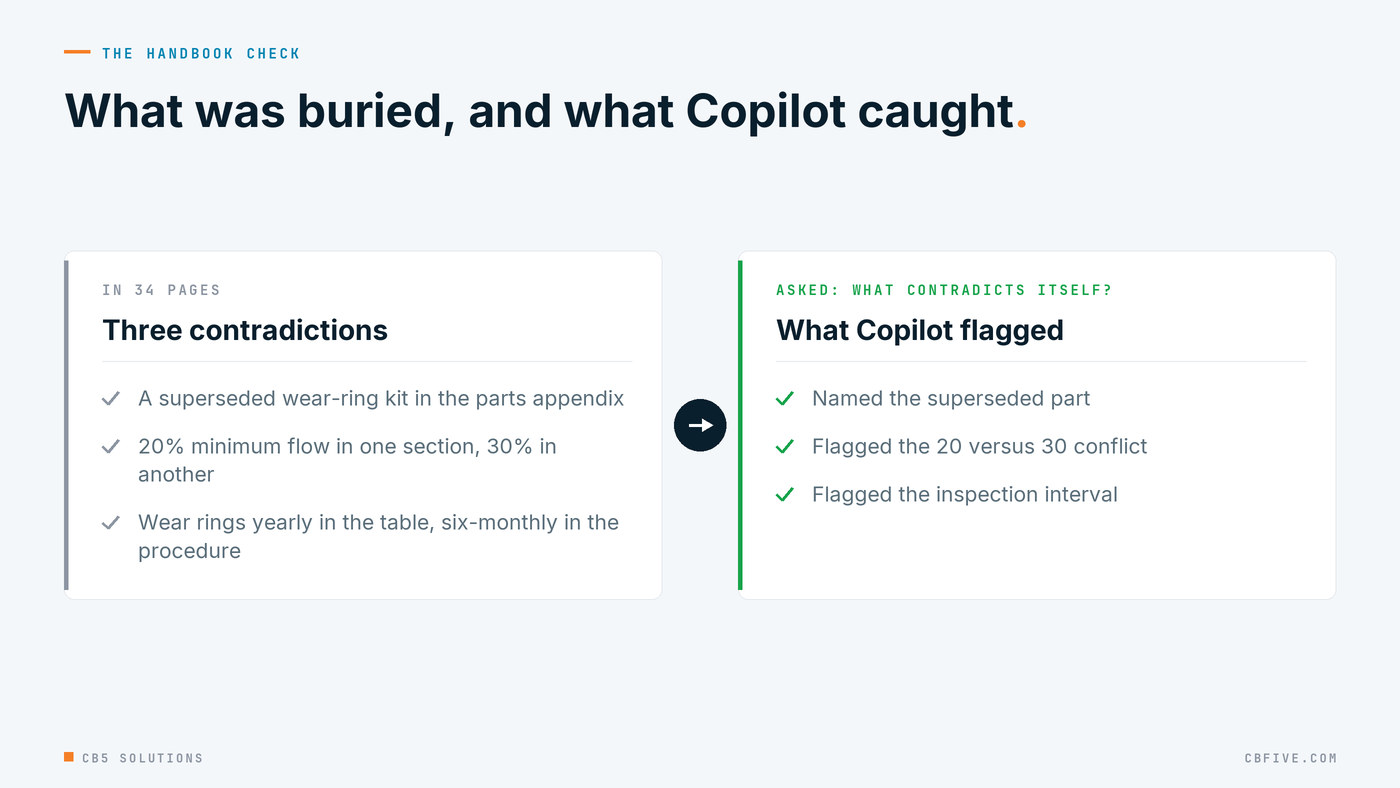
It carries thirteen facts the later stages need, and three contradictions buried in it:
- The parts appendix lists a superseded wear-ring kit instead of the current hardened one.
- One section says minimum continuous flow is 20 percent of best efficiency. Another section, and the manufacturer’s manual, say 30 percent.
- The preventive maintenance table says inspect wear rings annually. The procedure three sections earlier says every six months.
The prompts were “summarize this,” then “what in here is outdated or contradicts itself,” then “draft a letter to the customer from the pre-visit notes.” The second prompt is the one worth watching. Copilot in Word is good at summarizing. Asking it to find internal contradictions is a harder test, and it maps to real work: every service manual has a 20-versus-30 problem somewhere. Finding it by reading 34 pages is an afternoon nobody has. Asking is a minute.
We also used the handbook to make a point we’ll come back to in the next post. When we built the troubleshooting agent later on, we deliberately left the handbook out of its knowledge. The handbook has a torque table in it. The manufacturer documents don’t. If the agent could see the handbook, it would answer a torque question confidently, and we needed it to say “that isn’t in my documents” instead.
PowerPoint: a deck from a document
Four prompts, kept short because this is the feature everyone has seen. Generate a training deck from the handbook, tighten it, add speaker notes, restyle it. That’s a training session’s worth of slides from a document that already exists, instead of a day of copy and paste. We kept a ten-slide backup deck in case generation was slow, which is a habit worth adopting. Anything that depends on a service call in front of an audience gets a backup.
Excel: four findings in 424 orders
Excel got the most time of the five, because it’s where distributors actually live. We built a workbook with five named tables: 424 orders, 29 prices, 37 customers, 225 inventory rows, 48 service tickets. Fifteen prompts, running from XLOOKUP and margin columns through a PivotTable, a chart, a FILTER watchlist and a one-cell LET formula, to “what stands out” and a Python forecast.
Four findings were hiding in those 424 orders:
- One branch shipped 19 of 42 lines late, a 45 percent late rate against under 8 percent everywhere else.
- The seal the customer’s pump keeps eating is below reorder point at two branches, with two units left at the one closest to the customer.
- One customer is at 128 percent of its credit limit.
- Orders for that seal from the chemical-plant customer ran 7 in the first half of the year and 29 in the third quarter alone.
That last one is the thread. It’s the first place in the build where the data, not a person, notices the seal problem. The people who’d normally catch that are a branch manager and an inside sales rep with a spare afternoon. Here it’s one question.
There’s a check value in our run document that’s worth sharing because it’s the kind of thing you only learn by rehearsing. The workbook runs at 31.6 percent gross profit overall. If Copilot reports 35.3 percent, it averaged the margin column instead of computing the ratio. A number that’s wrong in a plausible way is more dangerous than one that’s obviously wrong, and you need to know in advance which one your data will produce. That check belongs in IT’s test plan before rollout: a handful of questions with known answers, run again whenever the data or the tier changes.
What the crawl stage is for
None of this is new. Every Microsoft partner has shown Outlook summarization. The difference is that all of it worked one customer, one pump, one angry manager, and by the end of the half hour the room knew the seal story cold without anyone having explained it. The data had.
That’s also why the crawl stage belongs to the business, not to IT. The service manager who knows which customer is about to walk and the branch manager who knows which numbers look off are the ones who should drive it. They know what to ask, and they get the time back.
IT’s job is the guardrails, and they’re concrete. Assign the right tier to the right roles. Fix oversharing in SharePoint and Teams before Copilot can surface it. Apply sensitivity labels so confidential files stay confidential. Turn on audit logging for Copilot activity. Test known answers, like that margin figure, before anyone relies on them.
The CB5 standard here is knowing the layers: buy the tier that fits the work, let the business point it at its own problems, and keep IT’s guardrails on access and accuracy from day one. If people don’t believe Copilot can summarize their email or spot a contradiction in their own handbook, they won’t believe an agent can read their ERP. Start with their problems. Be straight about what it costs to go further. Then go further.
Tomorrow, the walk stage: Microsoft’s Researcher and Analyst agents, the Notebook that refuses to make up a price, and the agent we built live in under four minutes.
CB5 Solutions helps organizations understand the layers of AI, get the most from what they buy, and build an AI program that pays back inside their IT standards. We start every engagement with one business problem and a governance baseline. Let’s pick yours.