
A pump and process-equipment distributor in the Southeast already knew its problem. A customer’s pump keeps eating mechanical seals. Three failures since July. The maintenance manager is angry and wants a plan by Monday, and answering him means a rep and a service tech digging through email, ERP history, a sales export and a stack of manufacturer PDFs.
What the business didn’t know was whether Copilot could actually help with that, what it would cost and take to set up, and how to get the reps and techs using it. So when they asked us to show their leadership what Copilot could do, we skipped the feature tour and carried that one problem through crawl, walk and run.
If you’ve sat through a Copilot demo, you’ve seen the tour. Summarize an email. Make a slide. Ask a chatbot something. Everyone agrees it’s impressive and nobody can say what it would change about Tuesday. Features don’t stick. Problems do.
We built it on data shaped like a distributor’s business: customers, orders, service tickets, manufacturer documents. That’s how we start every engagement, with a problem a department already has and the person who owns it. The people who know where the time and money go are the reps, service techs and branch managers, so the business should drive. IT’s job is to keep the AI inside the standards the business has set: security, compliance, governance and auditing. That split is the frame for this whole series.
The other half of the frame is layers. Copilot isn’t one thing. There’s Copilot in the apps, the agents Microsoft ships, agents you build in Agent Builder, and agents you build in Copilot Studio, and each one costs and does something different. Most organizations pay for layers they don’t use and miss the ones that would solve their problem. Crawl, walk and run is how we match the problem to the right layer.
This is the first of seven posts. It’s written for the IT and business leaders who decide what happens next, and for anyone who has been asked to “show us what AI can do” and knows the trap in that sentence.
Where the structure came from
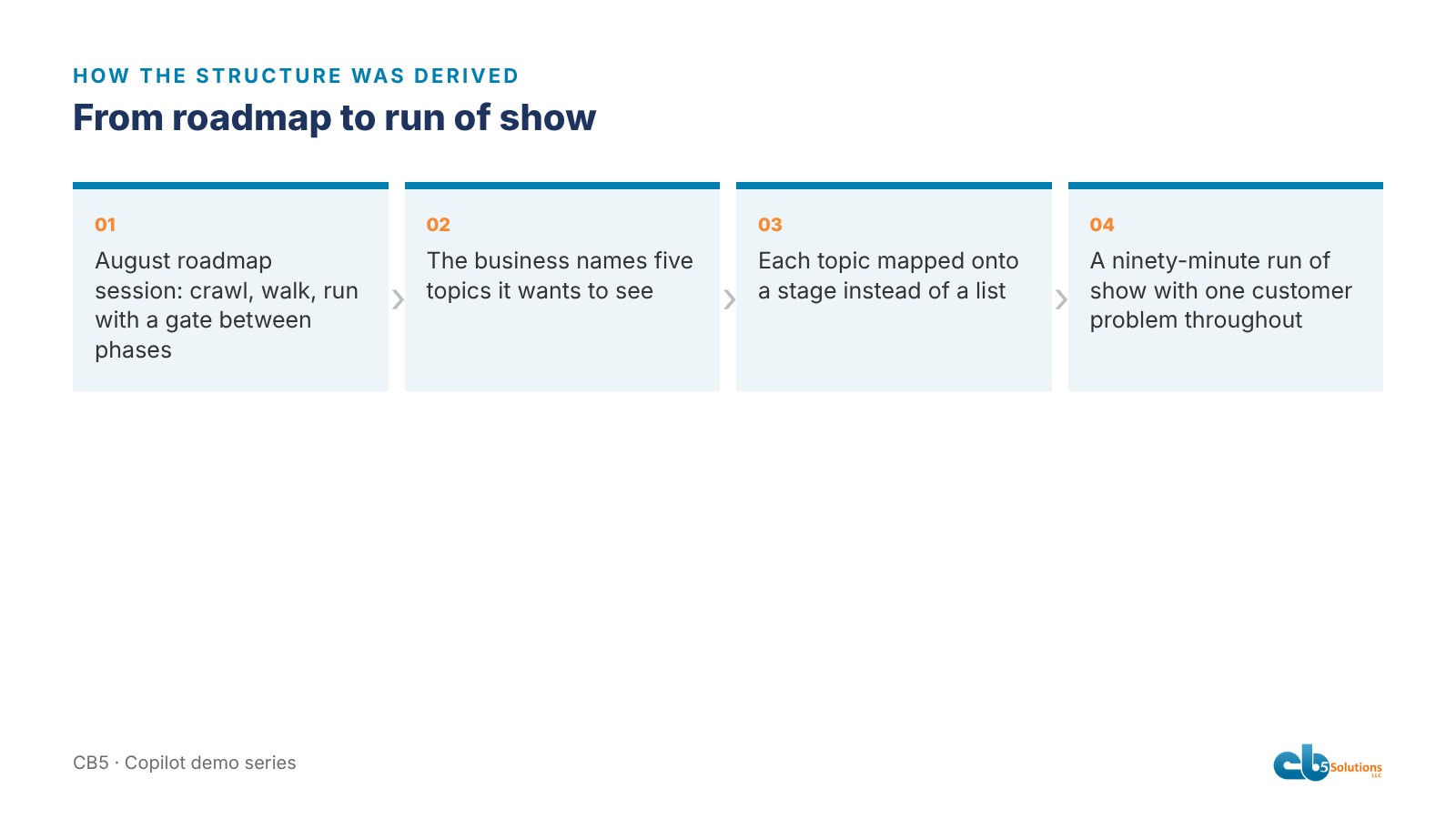
Two months earlier we’d run an AI roadmap session with the same company’s IT and marketing leads. The deck had a slide we’ve used in every engagement since: crawl, walk, run, with a gate between each phase.
Crawl means prove it’s safe. Name an owner, approve a policy, capture a baseline. Walk means prove it’s useful. Run use-case workshops, build a few agents, train by role. Run means prove it scales. Roll out in waves, fold governance into business as usual, report ROI at six months. That’s the process most businesses can’t see from the outside.
The session produced a short list of what the business wanted to see next: Notebooks, Analyst, Designer, our adoption scorecard and document intelligence work. A list of five features is a feature tour waiting to happen.
So we mapped the features onto the phases instead of presenting them as a list. Crawl became Copilot inside the apps everyone already has. Walk became the agents Microsoft ships, plus one shaped around the team’s own problem. Run became agents built in Copilot Studio for a distributor’s business, connected to data shaped like theirs.
Why one story
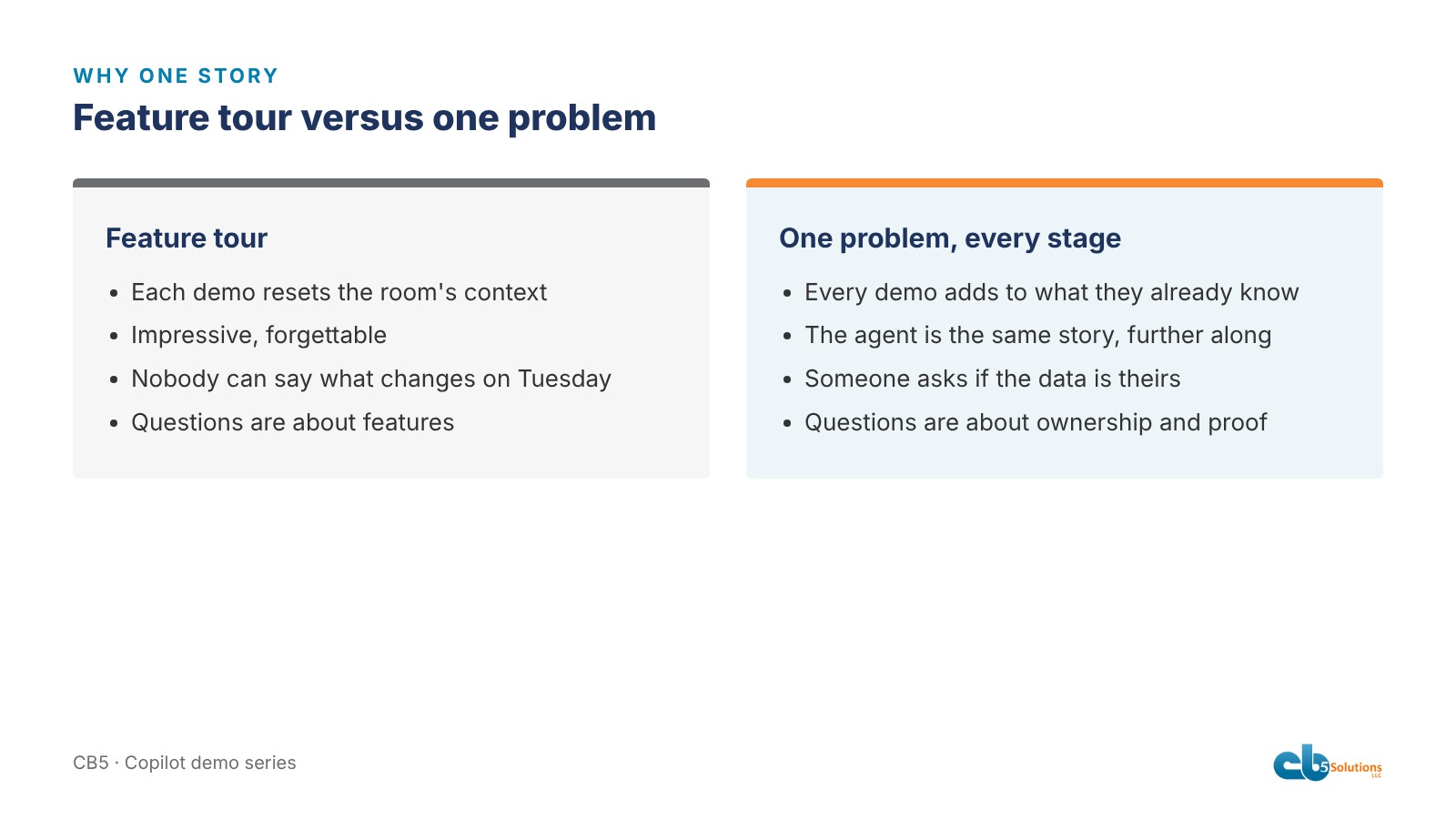
A feature tour resets the audience’s context with every demo. Nothing accumulates.
With one story, every step builds on the last. By the time the Copilot Studio agent pulls up the service history for pump P-101 and finds the same seal failing three times, the room has already seen the customer’s angry email summarized in Outlook, read the pre-visit notes drafted in Word, and watched Analyst flag the seal spend spike in the sales export. The agent isn’t a new thing. It’s the same thing, further along.
A seal failure touches every function a distributor has. Sales sees the revenue. Service sees the tickets. Engineering sees the application problem. Marketing, eventually, sees a campaign.
The engineering underneath is real. In the scenario, the customer changed their process fluid in June, from roughly 8 percent caustic to roughly 32 percent at about 150 degrees. The seal that was fine before isn’t rated for that. The right answer is a different seal with a different flush plan and a root-cause visit before the next turnaround, and it lives in the manufacturer documents.
Today, getting to that answer means digging through a long email thread, pulling ticket history out of the ERP, exporting sales data and pivoting it, then hunting through PDFs for the right seal spec. With Copilot set up properly, each of those becomes a question asked in plain English by the person who already knows what to ask. An afternoon of exporting and pivoting becomes one prompt, and the branch rep doesn’t need to file a ticket with IT to get there.
What we actually built
The next six posts go into each part. In short:
- Realistic source material. Manufacturer PDFs that cross-reference each other, a field service handbook with contradictions buried in it, a customer email thread, a messy sales export, an ERP extract and a brand guide.
- Built-in Copilot scenarios for Outlook, Teams, Word, PowerPoint and Excel, each with an answer key.
- Three declarative agents for Agent Builder, to answer the “can we make it ours” question.
- Four Copilot Studio agents connected to ERP data, with strict rules about what they will and won’t say.
- A test suite of 64 cases and a preflight check before anything goes in front of people.
We built the riskiest part first: the Copilot Studio agents and their test suite. The built-in app scenarios came last, because they’re the most forgiving.
The rule we’d give anyone doing this
Pick the problem before you pick the features, and make the problem one the room already has. The features you show are the ones that move the problem forward. The rest you cut. We cut Designer short and Notebooks to a maybe, and nobody missed them.
The second rule is almost as important. Make the data look like the business, so the people who run the business can see themselves in it. Halfway through, someone asked whether we’d pulled the data from their ERP. That’s the reaction you want. It means the sales and service people in the room have stopped watching a demo and started picturing their own Tuesday, and that is where adoption starts. People use what solves a problem they already have.
It’s also where IT’s role changes. It doesn’t shrink. IT decides who can reach which data, keeps the agent connections read-only, sets the rules that make an agent cite its source and refuse to guess, keeps the audit trail, and holds anything back until it passes the test suite. That’s how the AI stays aligned to the standards the business set. After that, the service manager and the branch reps who know the customers drive it.
That’s the CB5 standard: start with one business problem, let the business drive the solution on the right layer, and run it inside IT’s governance so the value lasts and it stays safe.
The rest of the series
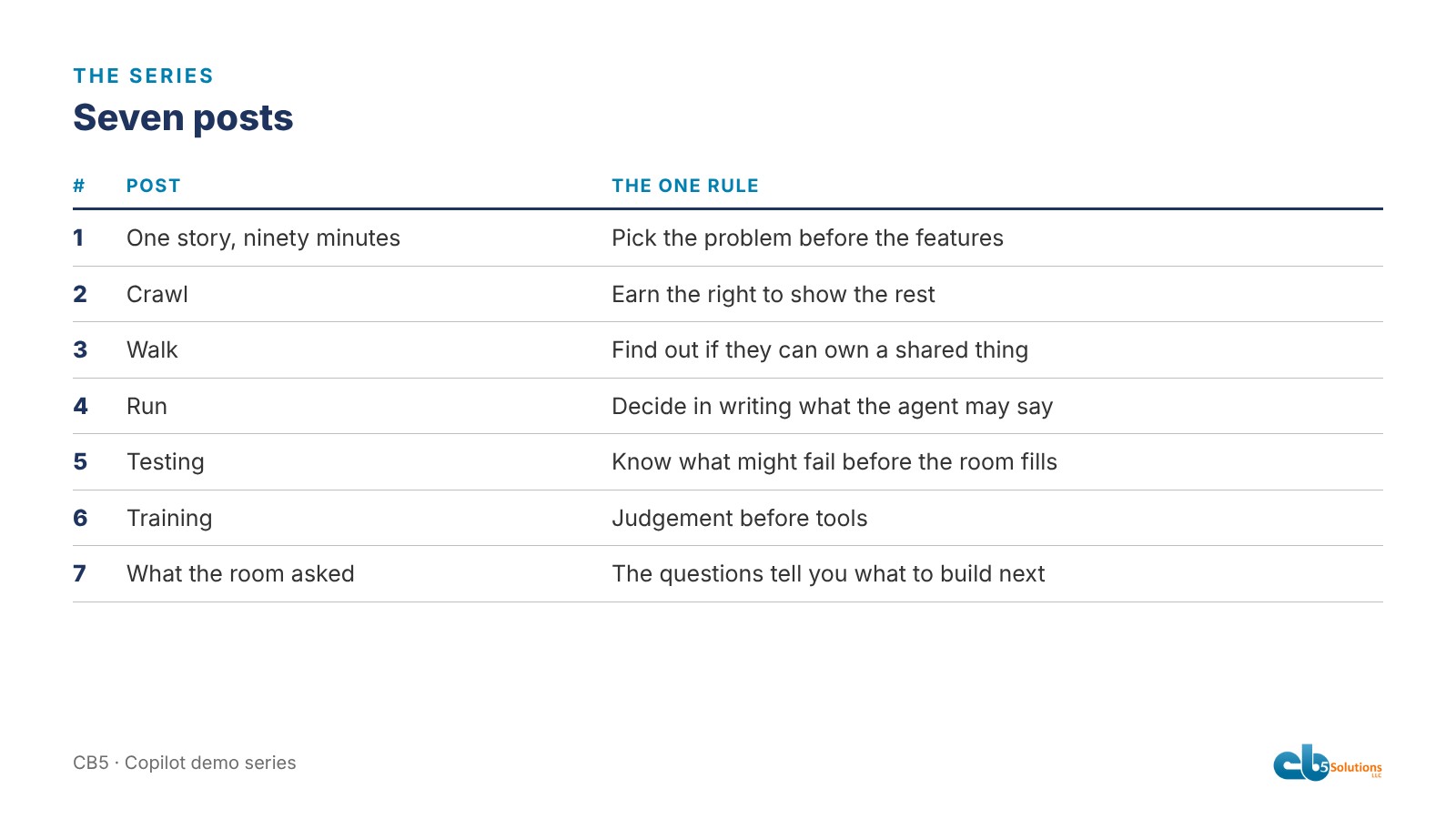
- Crawl. What Copilot does in Outlook, Teams, Word, PowerPoint and Excel, what it can find in your files that people miss, and the honest line about licence tiers.
- Walk. Researcher, Analyst, the Notebook that refuses to quote a price, and an agent shaped around the team’s own problem.
- Run. Four agents in Copilot Studio, the rules they all follow, and the one rule for choosing the tool.
- Testing. Sixty-four cases, a preflight that prints GO or NO-GO, and the thing that broke anyway.
- Training. Five capabilities, taught in order, tools last.
- What the room asked. It wasn’t about features.
Next: the crawl stage.
CB5 Solutions helps organizations understand the layers of AI, get the most from what they buy, and build an AI program that pays back inside their IT standards. We start every engagement with one business problem and a governance baseline. Let’s pick yours.